Why SMB Contractors 
Choose Linarc Over Procore

Unlimited users, streamlined field workflows, and packets in under 5 minutes—no enterprise bloat.

Pain Points Procore 
Can’t Resolve

Day in the Life: Procore vs Linarc

Without Linarc
(Legacy Stack: Procore + Dropbox + Bluebeam + Excel + Email)
Time
Task
Reality
8:00 AM
Login to Procore, then open Bluebeam, Excel, Outlook, and 3 more apps
“Why do I need 6 tabs to get 1 update?”
9:00 AM
Export field logs, merge cost tags in Excel
Cell B47 error. RFI mismatch. VLOOKUP hell.
11:30 AM
Email subcontractors for missing timecards & materials list
4 replies on WhatsApp. 2 screenshots. 1 voicemail.
2:00 PM
Rebuild schedule for the 3rd time—RFI affected concrete pour
Bluebeam markups lost in v7-FINAL-FINAL.pdf
4:30 PM
Send PDF packet for review
Architect replies “Need CO backup.” CFO wants “just one more format.”
10:00 PM
Packet still pending signature
Can’t submit pay app. Credit line clock is ticking. Margin is bleeding.
With Linarc
(All-in one solution in single application)
Time
Task
Reality
8:00 AM
Tap mobile app → log crew hours, site photos auto-tagged to CSI
Field data hits schedule and cost modules instantly
10:00 AM
CO submitted → routes automatically to PM → Architect → Owner
Each reviewer gets SLA reminders; e-sign built in
12:30 PM
Schedule view auto-updated; CO variance reflected in real-time cost
Everyone sees same truth. No rework.
1:30 PM
Click once → generate OAC PDF → signed and ledger-logged in 80 sec
Owner notified. P&L and ERP updated in sync.
3:00 PM
CO marked complete; added to next pay app line-item
CFO smiles. No delay. No lawyer wins.

Day in the Life: Linarc vs Procore

See how general contractors experience their workday with legacy tools versus
modern, streamlined workflows.
With Linarc
(All-in one solution in single application)
Without Linarc
(Procore + Dropbox + Bluebeam + Excel + Email)
One-Tap Mobile Start

Log crew hours and capture site photos instantly

Field data hits schedule and cost modules instantly
7:00 AM
Multi-App Login Marathon

Opening 6 different applications just to start the day

“Why do I need 6 tabs to get 1 update?”
Automated Data Flow

CO submitted and routed automatically

Each reviewer gets SLA reminders; e-sign built in
9:00 AM
Excel VLOOKUP Hell

Fighting spreadsheet errors and data mismatches

Cell B47 error. RFI mismatch. VLOOKUP hell.
Single Source of Truth

Real-time schedule updates for everyone

Everyone sees same truth. No rework.
11:30 AM
Communication Chaos

Chasing subcontractors across multiple platforms

4 replies on WhatsApp. 2 screenshots. 1 voicemail.
One-Click Generation

Generate OAC PDF and get signature in 90 seconds

Owner notified. P&L and ERP updated in sync.
2:00 PM
Version control nightmares

Rebuilding schedule for the 3rd time today

WhatsApp markups lost in v7-FINAL-FINAL.pdf
Mission Complete

CO marked complete, added to pay app automatically

CFO smiles. No delay. No lawyer wins.
3:00 PM
Format Wars

Converting files for different stakeholders

Architect wants CAD, CFO needs Excel
Already Home

Enjoying dinner with family since 6 PM

Healthy margins, happy life.
10:00 PM
Late Night Crisis

Still fighting for approvals and signatures

Credit line ticking, margin bleeding
The Linarc Success

Done by 3 PM

Healthy profit margins

Automated efficiency

The Procore Reality

Work until 10 PM

Constant stress & errors

Bleeding margins

With Linarc
(All-in one solution in single application)
7:00 AM
One-Tap Mobile Start

Log crew hours and capture site photos instantly

Field data hits schedule and cost modules instantly
9:00 AM
Automated Data Flow

CO submitted and routed automatically

Each reviewer gets SLA reminders; e-sign built in
11:30 AM
Single Source of Truth

Real-time schedule updates for everyone

Everyone sees same truth. No rework.
2:00 PM
One-Click Generation

Generate OAC PDF and get signature in 90 seconds

Owner notified. P&L and ERP updated in sync.
3:00 PM
Mission Complete

CO marked complete, added to pay app automatically

CFO smiles. No delay. No lawyer wins.
10:00 PM
Already Home

Enjoying dinner with family since 6 PM

Healthy margins, happy life.
The Linarc Success

Done by 3 PM

Healthy profit margins

Automated efficiency

Without Linarc
(Procore + Dropbox + Bluebeam + Excel + Email)
7:00 AM
Multi-App Login Marathon

Opening 6 different applications just to start the day

“Why do I need 6 tabs to get 1 update?”
9:00 AM
Excel VLOOKUP Hell

Fighting spreadsheet errors and data mismatches

Cell B47 error. RFI mismatch. VLOOKUP hell.
11:30 AM
Communication Chaos

Chasing subcontractors across multiple platforms

4 replies on WhatsApp. 2 screenshots. 1 voicemail.
2:00 PM
Version control nightmares

Rebuilding schedule for the 3rd time today

WhatsApp markups lost in v7-FINAL-FINAL.pdf
3:00 PM
Format Wars

Converting files for different stakeholders

Architect wants CAD, CFO needs Excel
10:00 PM
Late Night Crisis

Still fighting for approvals and signatures

Credit line ticking, margin bleeding
The Procore Reality

Work until 10 PM

Constant stress & errors

Bleeding margins

Core Features for SMB Success

Pricing

Pricing

Our transparent flat-rate subscription means your budget never balloons. Scale your workforce and projects without per-seat or per-project penalties.

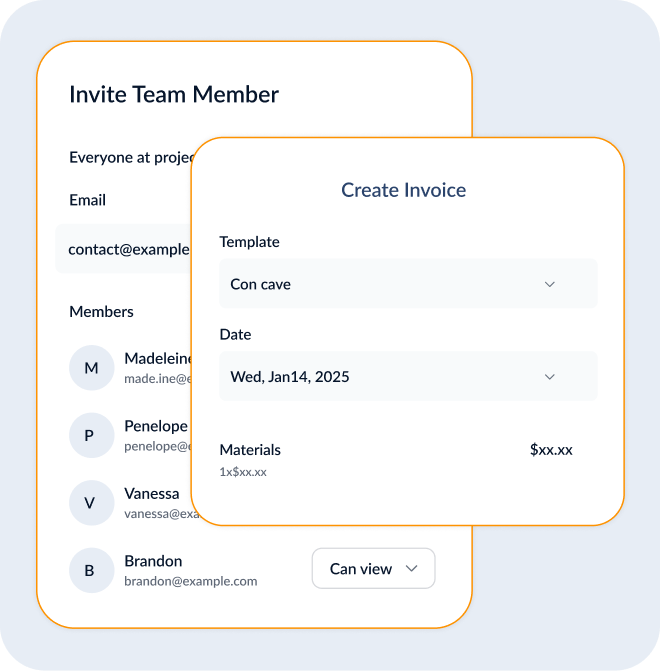
No per-user fees: invite unlimited team members.
Every feature included—no tier gates or add-ons.
Predictable monthly cost simplifies forecasting.
Single invoice covers all offices and sites.

Onboarding

Onboarding

Accelerate adoption with targeted, role-based training that wraps in days. Reduce classroom time and drive real usage from week one.

Six 45-minute modules for each role.
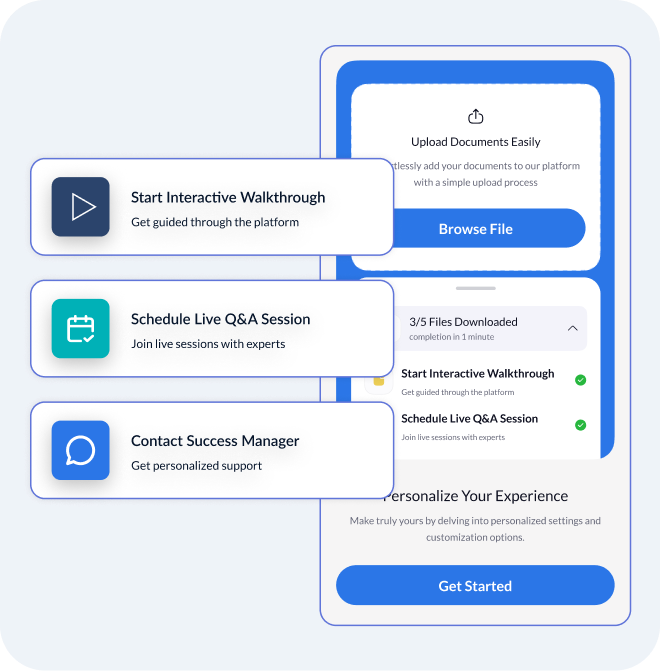
Interactive in-app walkthroughs guide first-time users.
Live Q&A sessions complement on-demand videos.
Dedicated success manager for personalized support.

Field Capture

Field Capture

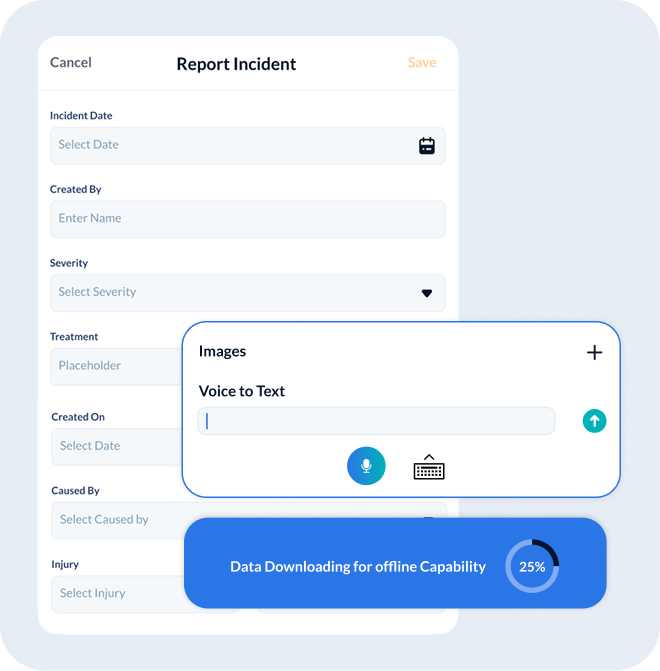
Capture data at the source—no transcription. Our mobile-first app turns every log into structured, geo-verified insights that sync instantly.

Geotagged timesheets and photo attachments.
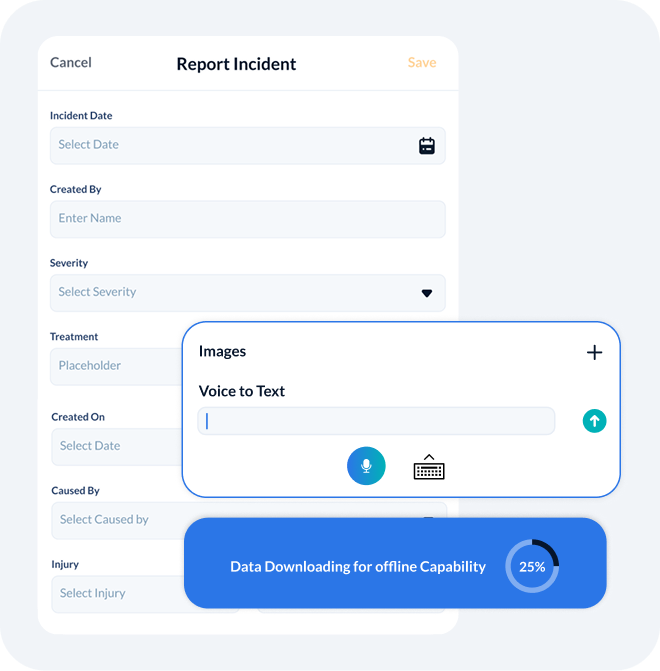
Voice-to-text notes reduce typing effort.
QR/barcode scans link materials to tasks.
Offline mode auto-syncs when reconnected.

OAC Reporting

OAC Reporting

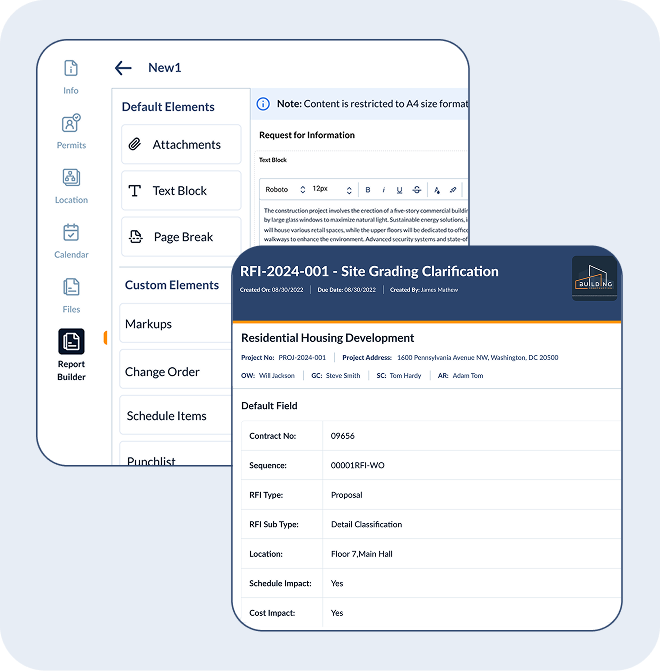
Transform raw data into a polished OAC report in under 90 seconds. Eliminate copy-paste and version confusion with one-click generation.

Template-driven merge of schedule, cost, and docs.
Built-in e-signature and timestamped PDF.
Owner portal for self-service report access.
API export or Excel download for archiving.

Data Spine

Data Spine

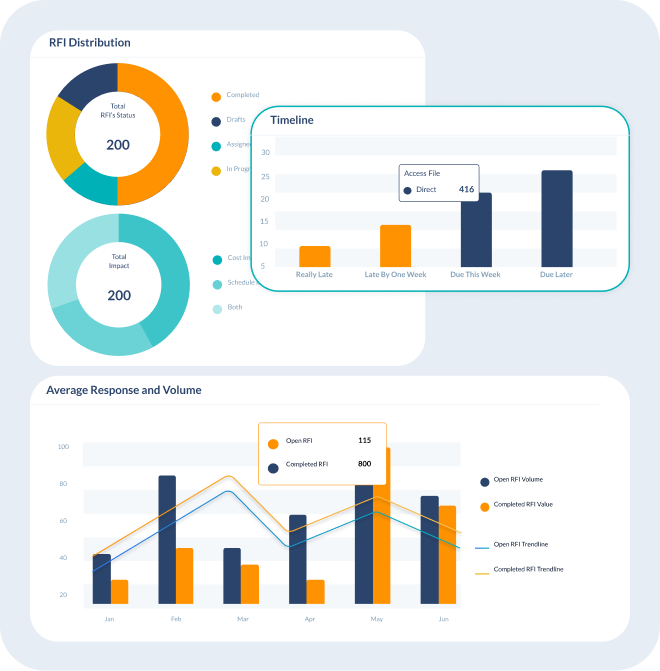
A unified data spine connects everything—schedules, budgets, RFIs, and change orders—ensuring you never juggle multiple systems or spreadsheets.

Centralized common data environment (CDE).
ISO 19650 naming conventions for consistency.
Real-time cross-module synchronization.
Scalable architecture for multi-project portfolios.

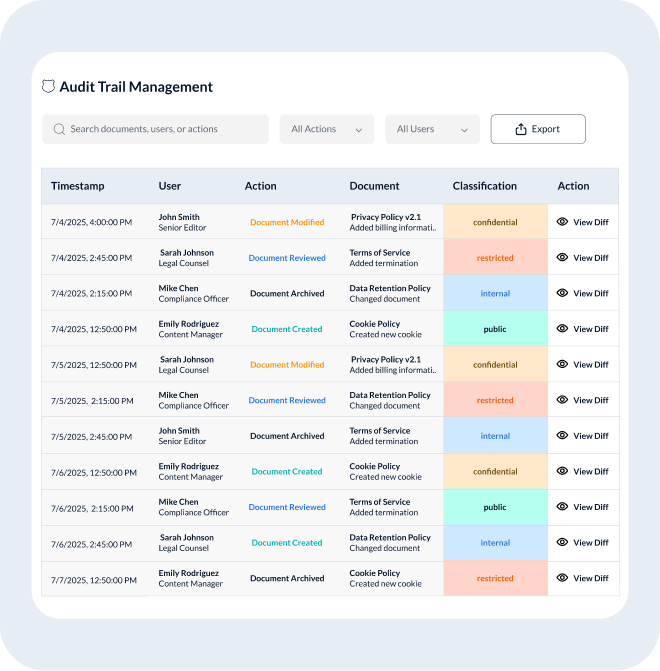
Audit Trail

Audit Trail

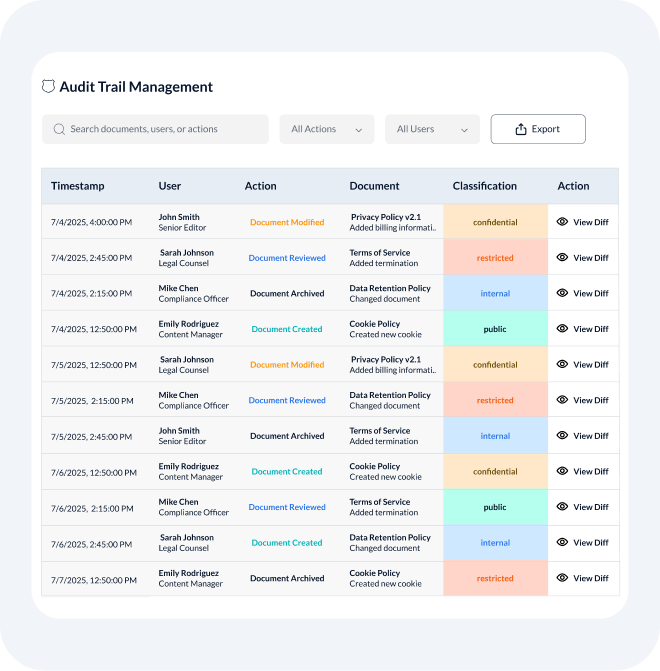
Stay audit-ready with immutable edit histories. Every change is logged, time-stamped, and easily reviewed without hunting through email threads.

User and timestamp metadata on each edit.
Side-by-side diff viewer for quick comparisons.
Encrypted long-term archives meet compliance needs.
Instant export of audit logs for legal defense.

Field Seats

Field Seats

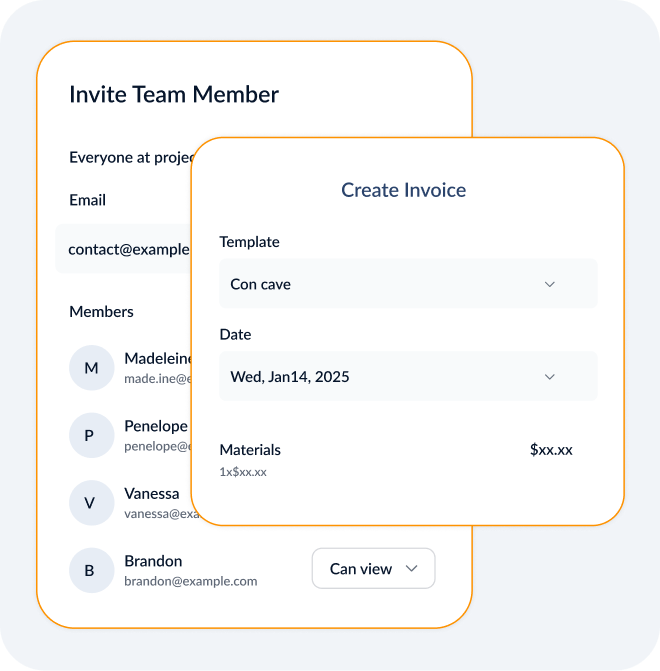
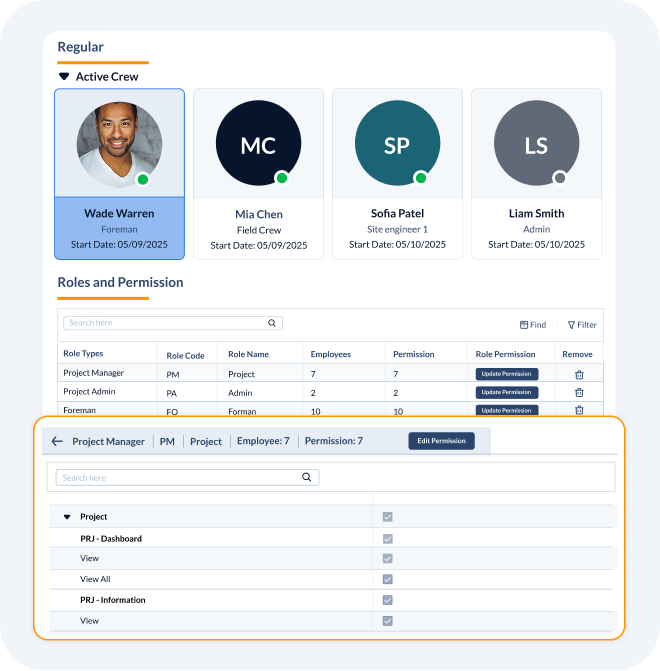
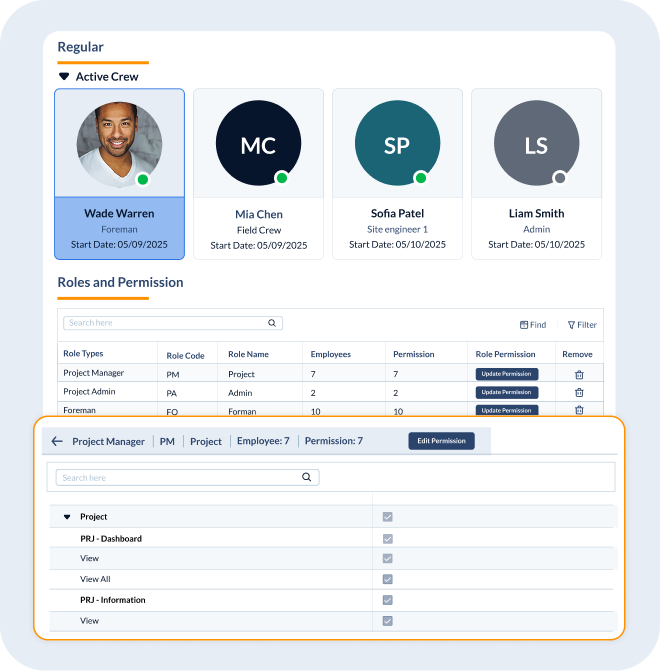
Give every foreman, subcontractor, and office user full access with no extra license fees. Field collaboration shouldn’t hit your budget.

Invite unlimited users at no cost.
Role-based permissions control data access.
Real-time updates for field and office teams.
Grow without billing surprises.

Open API

Open API

Integrate seamlessly with your ERP, accounting, and other third-party tools via our open RESTful API. Keep your entire tech stack in sync.

REST endpoints for schedule, cost, and docs.
Webhook support for custom alerts.
Pre-built connectors for popular ERP systems.
Comprehensive developer documentation.

Pricing

Our transparent flat-rate subscription means your budget never balloons. Scale your workforce and projects without per-seat or per-project penalties.

No per-user fees: invite unlimited team members.
Every feature included—no financial audits.
Predictable monthly cost simplifies forecasting.
Single invoice covers all offices and sites.

Onboarding

Accelerate adoption with targeted, role-based training that wraps in days. Reduce classroom time and drive real usage from week one.

Six 45-minute modules for each role.
Interactive in-app walkthroughs guide first-time users.
Live Q&A sessions complement on-demand videos.
Dedicated success manager for personalized support.

Field Capture

Easily capture data at the source in real time—no transcription. Our mobile app turns every log into structured, geo-verified insights that sync instantly.

Geotagged timesheets and photo attachments.
Voice-to-text notes reduce typing effort.
QR/barcode scans link materials to tasks.
Offline mode auto-syncs when reconnected.

OAC Reporting

Transform raw data into a polished OAC report in under 90 seconds. Eliminate copy-paste and version confusion with one-click generation.

Template-driven merge of schedule, cost, and docs.
Built-in e-signature and timestamped PDF.
Owner portal for self-service report access.
API export or Excel download for archiving.

Data Spine

A unified data spine connects everything—schedules, budgets, RFIs, and change orders—ensuring you never juggle multiple systems or spreadsheets.

Centralized common data environment (CDE).
ISO 19650 naming conventions for consistency.
Real-time cross-module synchronization.
Scalable architecture for multi-project portfolios.

Audit Trail

Stay audit-ready with immutable edit histories. Every change is logged, time-stamped, and easily reviewed without hunting through email threads.

User and timestamp metadata on each edit.
Side-by-side diff viewer for quick comparisons.
Encrypted long-term archives meet compliance needs.
Instant export of audit logs for legal defense.

Field Seats

Give every foreman, subcontractor, and office user full access with no extra license fees. Field collaboration shouldn’t hit your budget.

Invite unlimited users at no cost.
Role-based permissions control data access.
Real-time updates for field and office teams.
Grow without billing surprises.

Open API

Integrate seamlessly with your ERP, accounting, and other third-party tools via our open RESTful API. Keep your entire tech stack in sync.

REST endpoints for schedule, cost, and docs.
Webhook support for custom alerts.
Pre-built connectors for popular ERP systems.
Comprehensive developer documentation.

Pricing

Our transparent flat-rate subscription means your budget never balloons. Scale your workforce and projects without per-seat or per-project penalties.

No per-user fees: invite unlimited team members.
Every feature included—no tier gates or add-ons.
Predictable monthly cost simplifies forecasting.
Single invoice covers all offices and sites.

Onboarding

Accelerate adoption with targeted, role-based training that wraps in days. Reduce classroom time and drive real usage from week one.
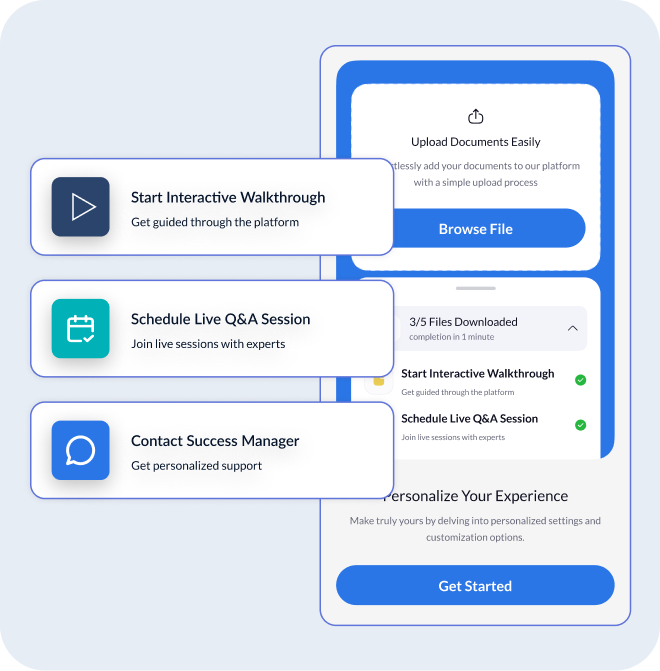
Six 45-minute modules for each role.
Interactive in-app walkthroughs guide first-time users.
Live Q&A sessions complement on-demand videos.
Dedicated success manager for personalized support.

Field Capture

Capture data at the source—no transcription. Our mobile-first app turns every log into structured, geo-verified insights that sync instantly.

Geotagged timesheets and photo attachments.
Voice-to-text notes reduce typing effort.
QR/barcode scans link materials to tasks.
Offline mode auto-syncs when reconnected.

OAC Reporting

Transform raw data into a polished OAC report in under 90 seconds. Eliminate copy-paste and version confusion with one-click generation.

Template-driven merge of schedule, cost, and docs.
Built-in e-signature and timestamped PDF.
Owner portal for self-service report access.
API export or Excel download for archiving.

Data Spine

A unified data spine connects everything—schedules, budgets, RFIs, and change orders—ensuring you never juggle multiple systems or spreadsheets.

Centralized common data environment (CDE).
ISO 19650 naming conventions for consistency.
Real-time cross-module synchronization.
Scalable architecture for multi-project portfolios.

Audit Trail

Stay audit-ready with immutable edit histories. Every change is logged, time-stamped, and easily reviewed without hunting through email threads.
User and timestamp metadata on each edit.
Side-by-side diff viewer for quick comparisons.
Encrypted long-term archives meet compliance needs.
Instant export of audit logs for legal defense.

Field Seats

Give every foreman, subcontractor, and office user full access with no extra license fees. Field collaboration shouldn’t hit your budget.
Invite unlimited users at no cost.
Role-based permissions control data access.
Real-time updates for field and office teams.
Grow without billing surprises.

Open API

Integrate seamlessly with your ERP, accounting, and other third-party tools via our open RESTful API. Keep your entire tech stack in sync.
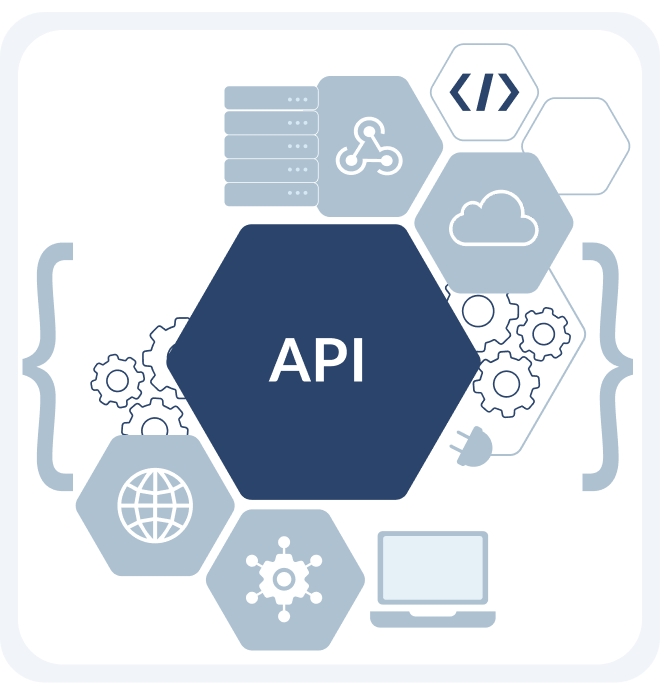

REST endpoints for schedule, cost, and docs.
Webhook support for custom alerts.
Pre-built connectors for popular ERP systems.
Comprehensive developer documentation.
Case Study

Midwest GC
($85M Revenue)

40 hours

Saved per pay cycle

20% → 4%

Cut budget variance in 90 days

3 days

Accelerated pay apps

0%

New hires required

What Our Customers Say

Avatar - Dashflow X Webflow Template

“Switching to Linarc felt like unplugging a firehose of complexity. We hit 95% field adoption in week one—and cleared pay-app backlog in a day.”

John Miller
VP Ops, Apex GC
Icon - Elements Webflow Library - BRIX Templates

Watch the 80-Second Demo

One Flat Rate, Endless Growth

Standard Plan

Flat price for unlimited users

What's included:
All core features
Unlimited projects
24/7 support
$xxx
/month

Frequently Asked Questions

Does Linarc work in remote areas with no cellular coverage?

Yes, Linarc is designed with an "offline-first" approach, making it fully functional on job sites with poor or no connectivity. Field users can create daily logs, submit RFIs, mark up plans, take photos, and update tasks on their mobile devices. All the data is securely saved locally on the device and then automatically syncs with the cloud once a network connection is re-established, ensuring no data is ever lost.

Can clients, architects, and engineers access Linarc too?

Yes, Linarc's platform is built for collaboration and operates on an unlimited user model, so you do not have to pay for extra seats. You can invite external stakeholders like clients, architects, and engineers into your projects and use role-based permissions to grant them access to only the specific information they need to see, such as submittals for review or the overall project schedule.

Does Linarc generate OAC reports?

Yes, Linarc automates the creation of professional OAC (Owner-Architect-Contractor) reports. The system pulls the latest real-time data from across the platform—including schedule progress, cost reports, RFI logs, photos, and daily report summaries—into a single, comprehensive document. This saves project managers hours of manual work spent gathering and formatting information for weekly meetings.

Can foreman and superintendents use Linarc for their daily progress reports?

Yes, this is a core strength of the platform. Using the Linarc mobile app, foremen and superintendents can quickly and easily create their daily reports directly from the field. They can use voice-to-text to enter notes, upload an unlimited number of photos and videos, log labor hours, and record equipment usage. This data is then instantly synced and available to the office, closing the communication gap between the job site and project managers.