
+ Every Plan, Spec, and Revision. Connected.

BUILD FROMTHE RIGHT SET, EVERY TIME

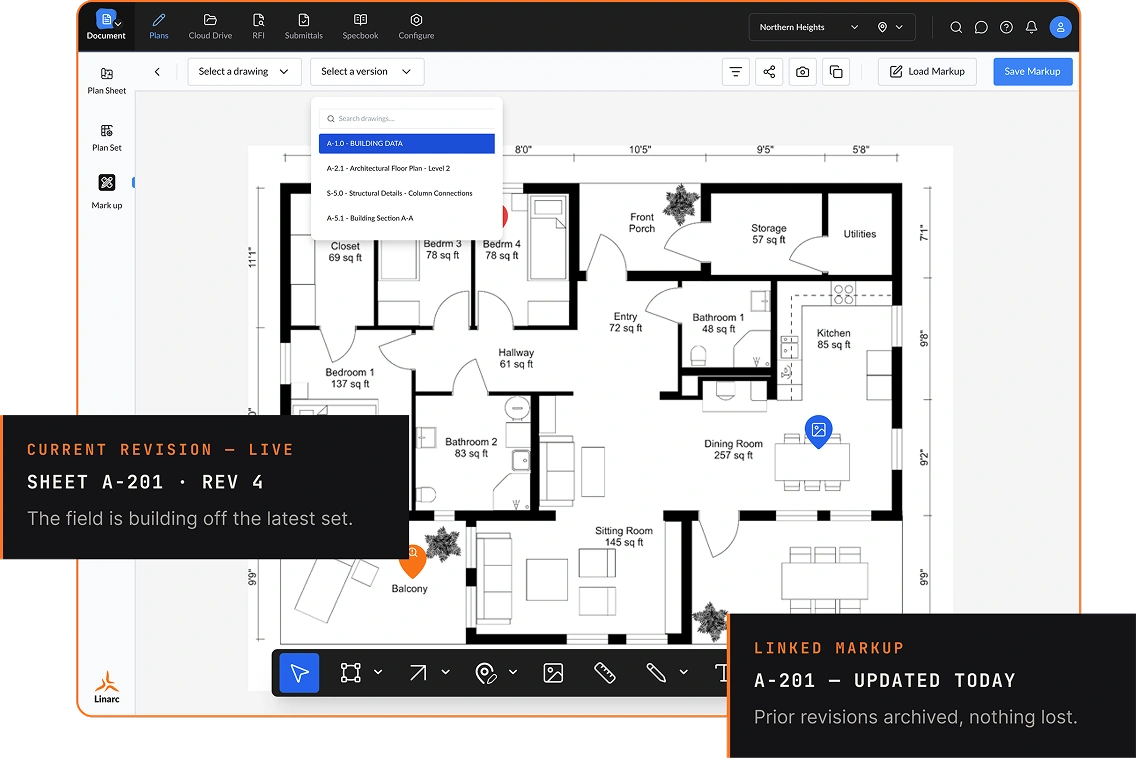
Drawings, spec books, blueprints, and revisions shouldn't live in separate folders, email threads, and trailers. Linarc keeps them on one connected record, tied to the schedule, the budget, and the field, so the current set is always the one your crew is building from.
REQUEST DEMO
Document — plans
[01]// THE PROBLEM

THE WRONG REVISION IS THE MOST EXPENSIVE DOCUMENT ON THE JOB

When plans and specs are scattered across tools and versions, the field builds off yesterday's drawing, and a single missed markup turns into rework.

01
OUTDATED IN THE FIELD
Crews work off a drawing that was superseded days ago.
02
NO SINGLE SET
Revisions live in a dozen folders, and nobody is sure which is current.
03
SPECS IN A SILO
Requirements live apart from the work that has to meet them.
04
MARKUPS LOST
Notes and changes sit in email with no tie to the sheet.
By the time the miss is caught, it may already be —
SCOPE
REWORK
SCHEDULE
DELAY
SCOPE
MISSED CHANGE ORDER
BOTTOM LINE
MARGIN YOU CAN'T RECOVER
[02]// THE SHIFT

ONE SET OF DOCUMENTS, ONE CONNECTED RECORD

Plans, specs, and revisions aren't scattered files in Linarc. They run on a single connected record linked to the work they govern.

01

MANAGE
Keep drawings and spec books in one place with version history, so the current set is unmistakable.

02

MARK UP
Add markups and pin issues to the exact spot on the sheet.

03

BUILD
Push the current set to the field, with every prior revision archived.
[03]// PLANS & BLUEPRINTS

DRAWINGS THAT STAY ACCURATE

Manage plan sheets and blueprints in one place, with version history that makes the 
current set clear on every device for every stakeholder.
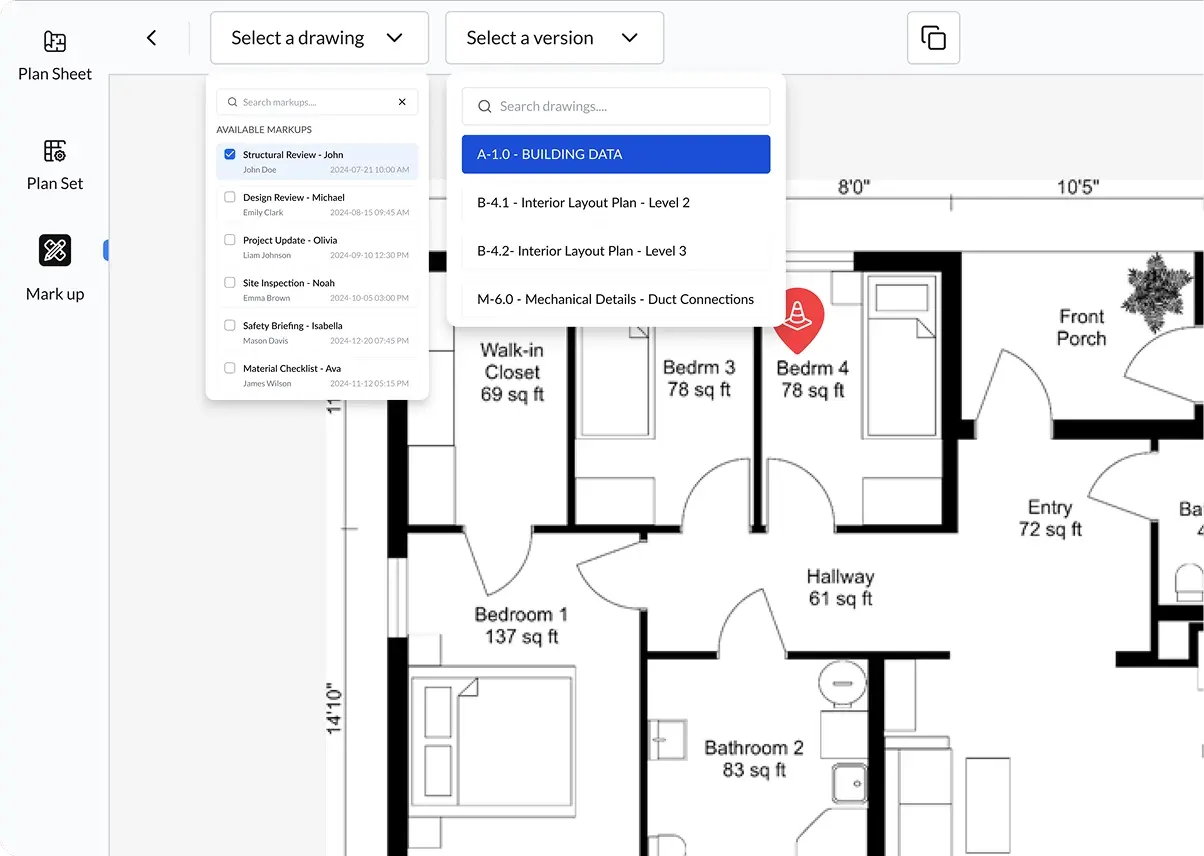
PLANS — MARKUPS
PLAN SHEET MANAGEMENT
Grid and spreadsheet views with thumbnail previews to find the 
right sheet fast.
VERSION HISTORY
Track markup versions over time so the field always sees the current set, and prior revisions stay archived.
MARKUPS & CONTEXT
Add markups and attach images, files, and audio notes for review on any Linarc app.
PLAN-CENTRIC FIELD WORK
Tie field activities and punch items to the exact location on the sheet.
[04]// VERSION CONTROL

NEVER BUILD OFF AN OLD DRAWING AGAIN

Upload a new plan set any time. The field always sees the current sheet, and every 
prior revision stays archived.

CURRENT VERSION, ALWAYS
The latest revision is what the field sees, automatically every time.
FULL HISTORY
Every prior version stays archived and accessible, so nothing is lost.
SIDE-BY-SIDE REVIEW
Compare revisions to see what changed before you push the update.
PLAN-CENTRIC FIELD WORK
Tie field activities and punch items to the exact location on the sheet.
compare — plan sheets
[05]// RFIS INTEGRATED IN THE DRAWINGS

RFIS PINNED TO THE DRAWING

When an RFI ties to the exact spot on the sheet, the answer lands where 
the work happens instead of getting lost in email.
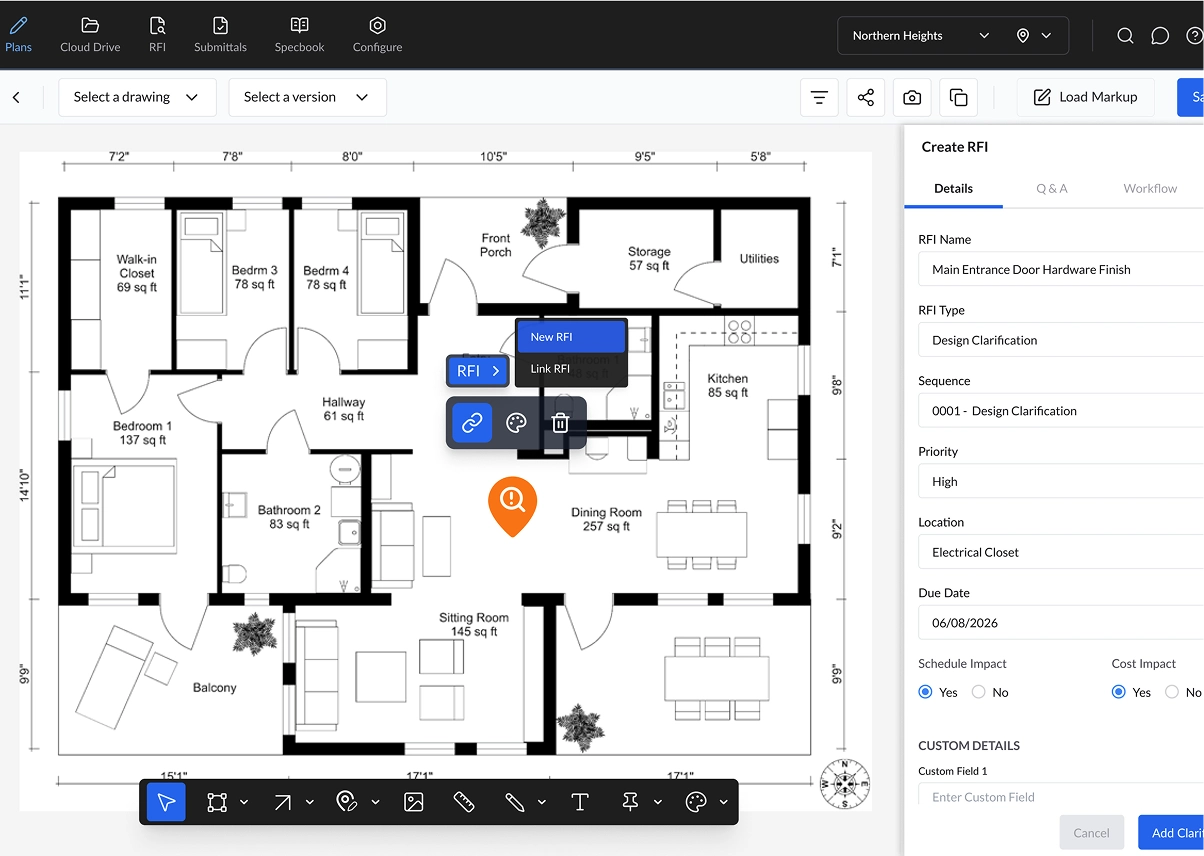
PINNED PLAN — CREATE RFI
PINNED TO THE PLAN
Draw a shape on a sheet to link an RFI to that exact location.
STATUS AT A GLANCE
A color-coded badge shows where the question stands, right on the drawing.
SYNCED TO THE SET
The RFI travels with the sheet and its revision, so context is never lost.
[06]// SPEC LOG & SUBMITTALS

A SPEC REQUIREMENT, FULFILLED AND TRACEABLE

Linarc structures specs and submittals so the right requirements travel with the 
right package.

SPEC EXTRACTION
Pull requirements, section titles, manufacturers, and procurement details 
from spec books automatically.
SUBMITTAL PACKAGES
Relevant requirements are attached to the package, with the source 
sections one pane away.
REVIEW & APPROVE
Examine details, post-approval notes, reject items, or add attachments in one record.
COMPANY TEMPLATES BY TYPE
Standardize submittals with reusable templates and let Linarc verify completeness.
EXTRACTED AUTOMATICALLY
[07]// BIDS & PRECONSTRUCTION

START WITH SCOPE AND BUDGET TIED TOGETHER

Set the foundation in preconstruction so plans, costs, and contracts stay 
aligned from day one.
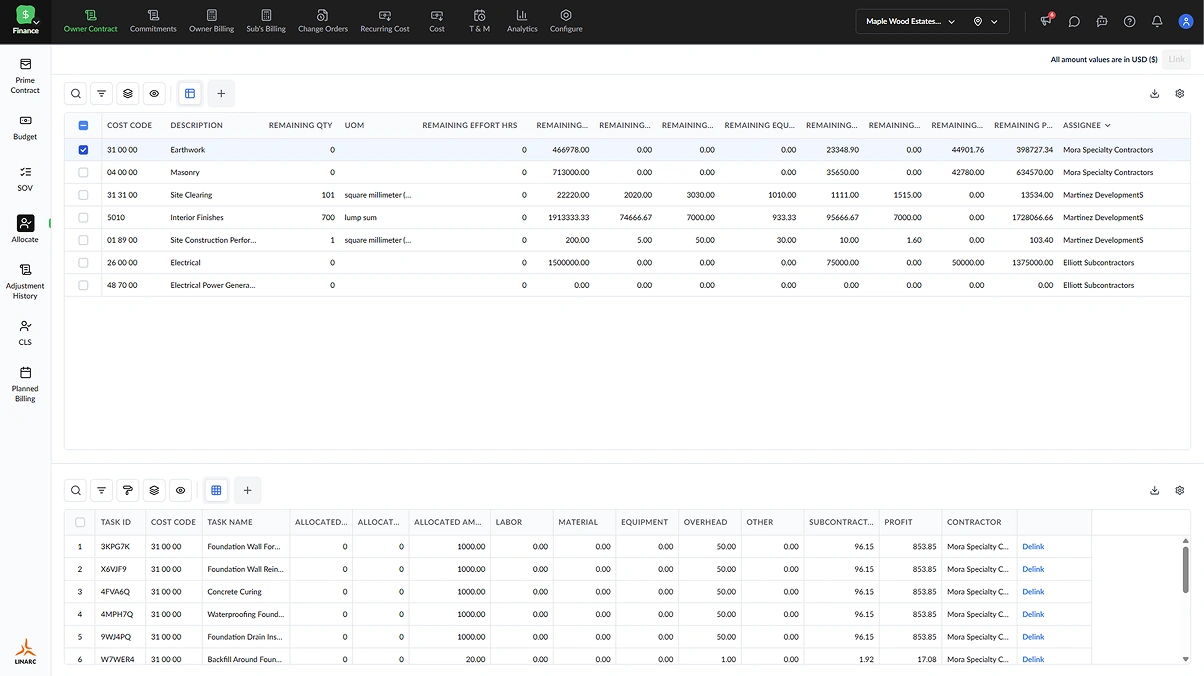
FINANCE — CONTRACT ALLOCATE
LOAD BID VALUES
Bring in bid values for the full project and link them to subcontractor estimates.
PRIME CONTRACTS & BUDGETS
Establish prime contracts, budget pages, and cost breakdowns that track against the plan.
SCOPE TO SCHEDULE
Decompose the scope through the WBS and carry it straight into the master schedule.
ONE DOCUMENT FOUNDATION
Keep plans, specs, and contracts in one connected repository from day one.
[08]// CONNECTED DOCUMENT CONTROL

ONE REPOSITORY, CONNECTED TO THE WHOLE PROJECT

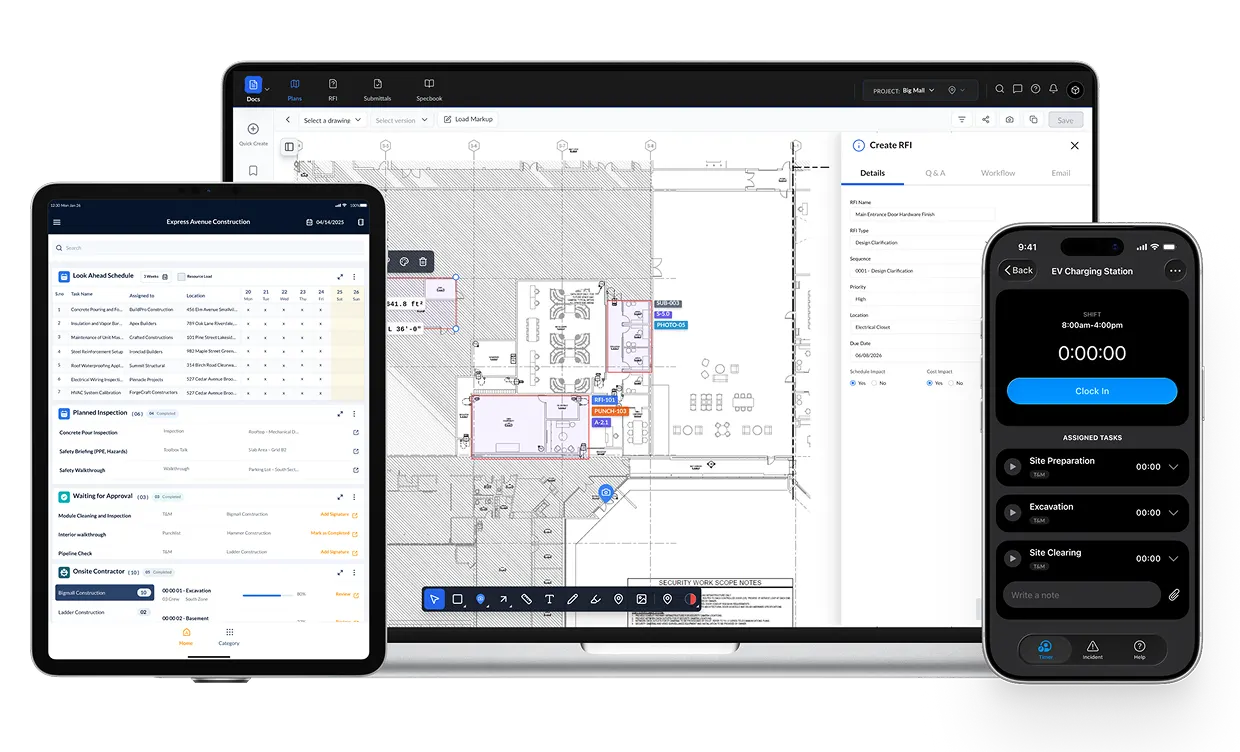
Plans and specs aren't a filing cabinet. In Linarc they are wired into the schedule, the field, and the budget.
PROJECT DRIVE
A cloud-based repository with thumbnail and tile views, on desktop, 
tablet, and mobile.
FIELD-TO-OFFICE SYNC
Push the current plans to the crew. Pull progress and markups back to 
the office.
STANDARDIZED TEMPLATES
Configure portfolio-level templates to standardize documents and records.
CLEAN CLOSEOUT
Connected document data that supports accurate approvals and end-of-project handoff.
OFFICE → FIELD — SYNCED
[09]// PROOF

BUILT FOR HOW CONTRACTORS RUN DOCUMENTS

Document control isn't a filing feature. It is how you keep the field building right and every change on the record.

ONE CURRENT, LIVE SET
The field always builds off the latest revision, with prior versions archived.
FASTER RFI RESPONSE
Questions tied to the plan move to resolution instead of sitting in email.
SPECS MEET SUBMITTALS
Requirements travel with the package they have to satisfy.
EVERY CHANGE ON RECORD
Markups, RFIs, and approvals traceable for audits and claims.
[10]// THE PLAN

THREE STEPS TO ONE CONNECTED RECORD

You don't need another folder system or a long rollout. Just every document connected to the work it governs.

01

SEE LINARC IN ACTION
See how plans, specs, and revisions connect into one connected record.

02

BUILD THE RIGHT ROLLOUT
Start where connected documents cut the most rework and strengthen your record first.

03

RUN PROJECTS WITH BETTER VISIBILITY
Give field and office one set of documents, always current.

STOP BUILDING FROM THE WRONG SET. START FROM ONE CONNECTED RECORD.

REQUEST DEMO
[10]// TAKE CONTROL

BUILD FROM THE LATEST SET, EVERY TIME

Stop building from the wrong revision and stop losing markups in email.

ONE SET, ONE RECORD
See how growing GCs and trade contractors keep plans, specs, and revisions connected to the work, so the field builds from the current set and every change stays on one connected record.
CONTROL WITHOUT THE ENTERPRISE TAX
You get document control usually reserved for enterprise firms, without the complexity or the revenue-based pricing that penalizes growth. One connected platform, built for the field and the office to work from the same set.
top arrow