
SAGE INTACCT RUNS THE BOOKS. LINARC RUNS THE JOB.
Connect once. Records created on the project flow into Sage Intacct, and your accounting process stays exactly as it is.
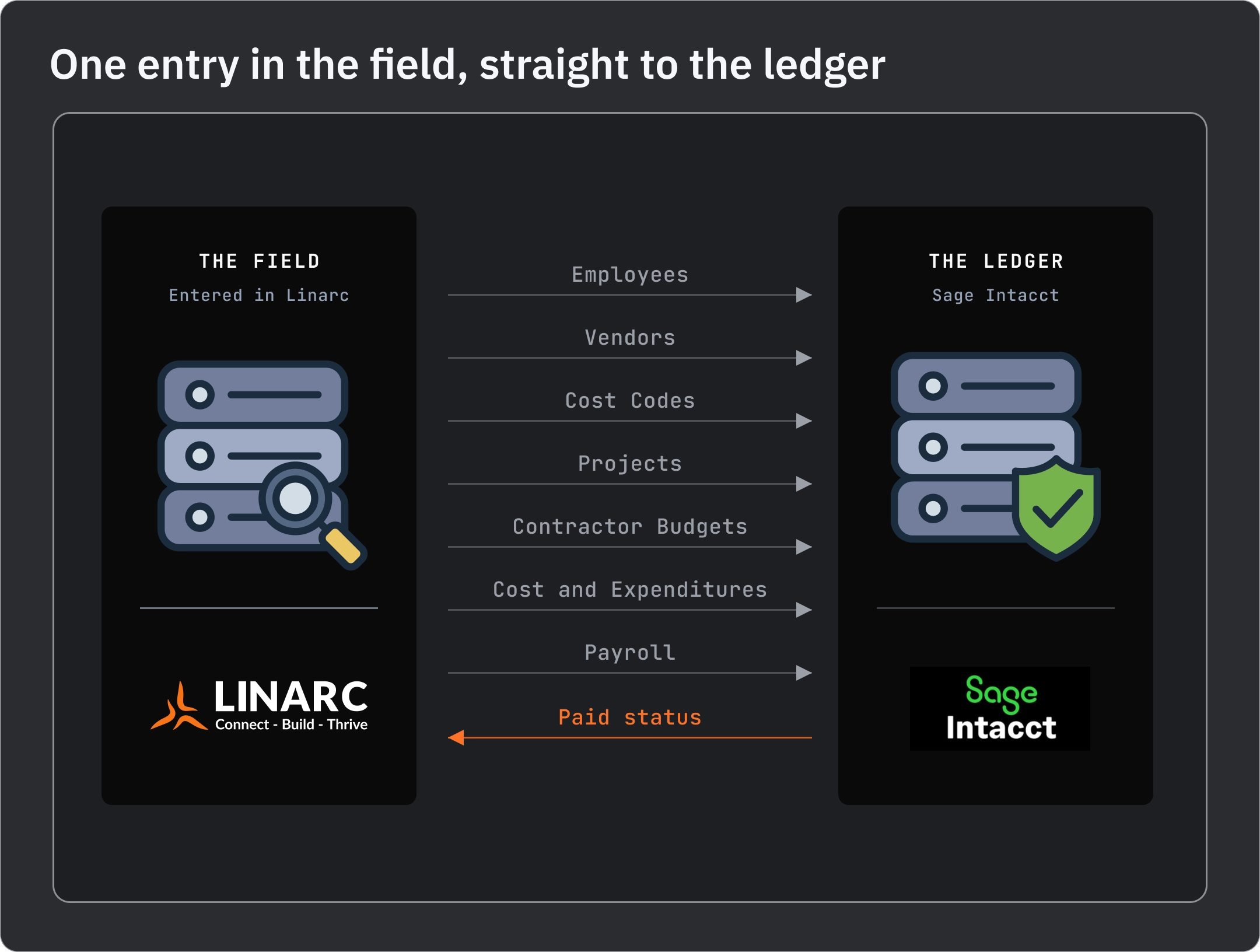
SEVEN RECORDS MOVE. EACH ENTERED ONCE.
You decide where employee records get entered when you map the connection: Linarc or Sage Intacct. The rest are entered in Linarc, since they start on the job, and move into Intacct from there. Nothing moves in the other direction.
One direction per record, from the system where it's entered to the other one. Not two-way. Payroll sends calculated wages, not timesheet hours or rates.
CONNECTED ON DAY ONE. RUNNING ON DAY TWO.

After mapping, mapped records go to Sage Intacct without a hand on them. Add a vendor or a cost code to your company in Linarc; your accountant finds it in Intacct, spelled the same way.

Select records across categories, stage them, review the list, push them to Intacct in a single step. For month end, project setup, or whenever finance wants to see what is going before it goes. Sync status for the whole company shows in one view.

Add an employee in whichever system you chose for employees and it appears in the other almost immediately. That is the one record type that moves this quickly. Everything else syncs automatically or by a manual staged push, depending on its Auto-Create and Auto-Update settings.
REQUEST. PROVISION. CONNECT.


NO RECORD TYPED TWICE.
Before the connection, every project, vendor, cost code and budget line existed in two places because somebody keyed it twice. After it:
QUESTIONS CONTROLLERS ASK
No. Each record type is entered in one system and moves to the other. Employees can start in Linarc or in Sage Intacct. Vendors, cost codes, projects, budgets, costs and payroll are entered in Linarc and move into Intacct. Vendors and cost codes already in Intacct are not imported into Linarc.
Invoices created in Linarc do not push to Sage Intacct. Invoice sync, including the paid status returning to Linarc, is available on QuickBooks Online and QuickBooks Desktop. The seven records above all sync with Intacct.
Employee records, close to it. Add an employee where you enter employees and it shows up in the other system within moments. Other records sync automatically or by a manual staged push, depending on their Auto-Create and Auto-Update settings.
Yes. You map which records sync when you set up the connection, and you can stage specific records and push them yourself instead of waiting for the sync.
One accounting system per Linarc company at a time, and one Intacct entity per Linarc company. Linarc connects to Sage Intacct, Acumatica, QuickBooks Online and QuickBooks Desktop.
YOUR LEDGER, UNTOUCHED. YOUR FIELD, CONNECTED.
Bring your controller. We'll show which records move into Sage Intacct, which way, and what never leaves it.


Our website uses cookies

